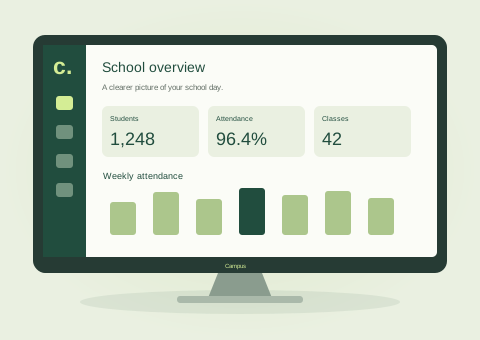
01 / DESKTOP
A bigger view of your school.
Room for student records, fee workflows, and everyday administration on your desktop or laptop.
 FruitMagnetTECHNOLOGIES
CAMPUS / SCHOOL ERP
Put your school's essential operations in one place, so your people can spend more time on what matters: education.
A good day to make a difference.
Illustrative product preview · Sample data, not live school records
YOUR SCHOOL. YOUR SCREEN.
At your desk. In the classroom. On the move.
Access Campus through a modern web browser.
Room for student records, fee workflows, and everyday administration on your desktop or laptop.
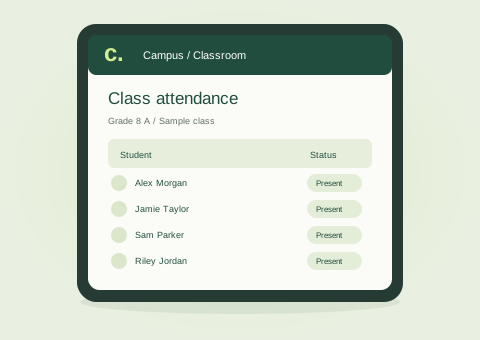
A flexible screen for viewing class information and keeping school tasks close at hand.
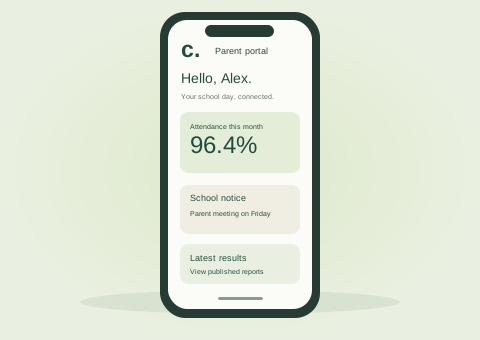
Parents can check school notices, attendance, and published results from their phone.
Use a supported, up-to-date browser with access to your school's server. No separate desktop installation needed.
Device illustrations show concept interfaces with sample data. Features and layouts may vary by role and screen size.
FLEXIBLE HOSTING / CONNECTED ACCESS
Bring Campus to the environment that fits your school. Its central Web API connects the browser experience to your school's data, so your team can work across devices from one installation.
One connected foundation.
A consistent school experience.
Hosting is available on compatible Windows or Linux server environments with the required .NET runtime and SQL Server connectivity. Database, HTTPS, backups, network access, and any container or integration requirements are confirmed during deployment planning. Browser access across operating systems does not mean the server software installs on every device.
A LITTLE MORE CONNECTED
Explore the core areas of Campus.
We'll discuss your specific requirements in a demo.
Bring student profiles, admissions, and class information into an organised school workflow.
Keep track of attendance and give school teams a clearer picture of daily participation.
Manage fee records and payment workflows with information connected to the student.
Organise academic assessments, grading, and results across the school year.
Give parents a dedicated place to follow school notices, attendance, and published results.
Keep school updates and notifications connected to the people who need them.
ONE SCHOOL. DIFFERENT PERSPECTIVES.
Connect student records, admissions, and fee workflows so your administration team can work from a shared school context. Start your demo with the processes that take up the most time.
Explore how attendance, assessments, and results fit into the teaching day. We'll walk through the relevant workflows for your school's academic structure.
A dedicated parent experience brings school notices, attendance information, and published results together, making everyday updates easier to follow.
BEFORE WE SAY HELLO
Campus is accessed through a supported modern browser on Windows, macOS, Linux, ChromeOS, Android, or iOS and iPadOS. Your device needs network access to your school's server. The Web API runs centrally on a compatible server, rather than being installed on every phone or computer.
Campus can be deployed to a compatible on-premises or cloud server. We review the server environment, .NET runtime, SQL Server connection, HTTPS, and access requirements with your IT team before agreeing on the deployment setup.
Pricing is discussed based on your school's requirements, scope, and setup. Prepare a demo enquiry with your school size and priorities so we can start with the right context.
Share the formats and systems you currently use. Data migration requirements, supported imports, and validation steps need to be assessed as part of your implementation plan.
Tell us your school size, the workflows you want to improve, and any integration requirements. Please use sample information rather than student or parent personal data.
Yes. Our software services can help explore requirements beyond the standard product. Feasibility, delivery timelines, and scope are agreed after a requirements discussion.
MAKE ROOM FOR A BETTER SCHOOL DAY
Start with your school. Explore the possibilities together.